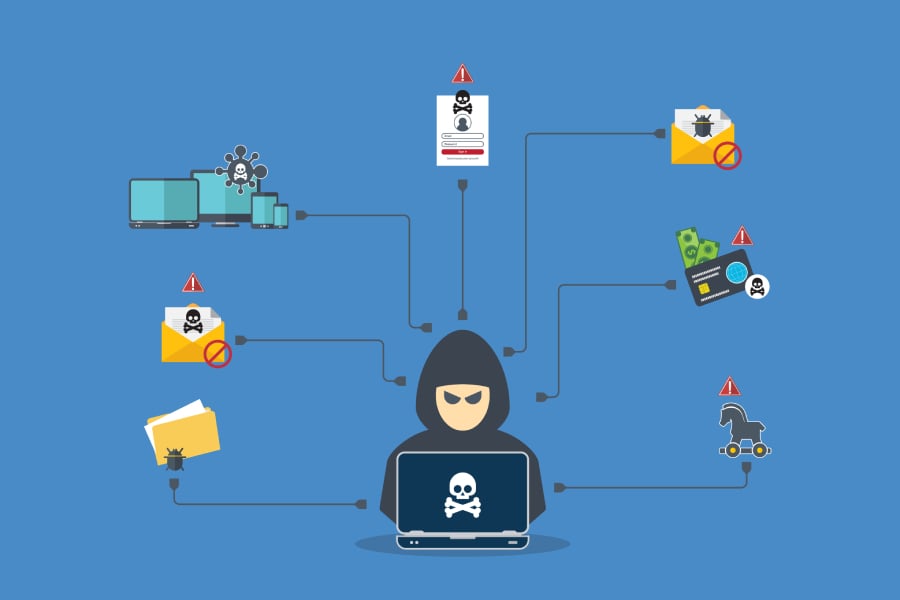
A once-trusted Chrome extension with thousands of users was quietly transformed into a malware delivery vehicle, exposing how quickly browser add-ons can become security liabilities.QuickLens – Search Screen with Google Lens was removed from the Chrome Web Store after researchers discovered it had been updated to deploy ClickFix attacks and steal cryptocurrency wallet data.“For every page, frame, and request, the security headers are now gone.
User traffic is now vulnerable to many new attacks like clickjacking,” Annex researchers said in a blog post.Featured Partners Advertisement TechRepublic is able to offer our services for free because some vendors may pay us for web traffic or other sales opportunities.Our mission is to help technology buyers make better purchasing decisions, so we provide you with information for all vendors — even those that don’t pay us.
1 Corsica Technologies Visit Website Company Size Employees per Company Size Micro (0-49), Small (50-249), Medium (250-999), Large (1,000-4,999), Enterprise (5,000+) Any Company Size Any Company Size Features Activity Monitoring, Antivirus, Blacklisting, and more 2 Graylog Visit Website Company Size Employees per Company Size Micro (0-49), Small (50-249), Medium (250-999), Large (1,000-4,999), Enterprise (5,000+) Small (50-249 Employees), Medium (250-999 Employees), Large (1,000-4,999 Employees), Enterprise (5,000+ Employees) Small, Medium, Large, Enterprise Features Activity Monitoring, Dashboard, Notifications 3 Ready1 Visit Website Company Size Employees per Company Size Micro (0-49), Small (50-249), Medium (250-999), Large (1,000-4,999), Enterprise (5,000+) Small (50-249 Employees), Medium (250-999 Employees), Large (1,000-4,999 Employees), Enterprise (5,000+ Employees) Small, Medium, Large, Enterprise Features Incident Management Inside the malicious Chrome extension update Browser extensions operate with extensive access to web traffic, page content, and authenticated user sessions.In the case of QuickLens, the extension had approximately 7,000 users and previously held a featured badge in the Chrome Web Store, lending it credibility.After a reported ownership change in early February 2026, a malicious update was pushed to users on Feb.
17, 2026.That update introduced expanded permissions and embedded command-and-control (C2) functionality, effectively turning a legitimate tool into a malware-delivery mechanism.From trusted Chrome extension to malware loader The compromised version requested new permissions, including declarativeNetRequestWithHostAccess and webRequest, which granted deeper control over browsing activity and network requests.
It also included a rules.json configuration that stripped key browser security headers — such as Content-Security-Policy (CSP), X-Frame-Options, and X-XSS-Protection — from all visited pages.These headers are designed to prevent script injection and clickjacking attacks.By removing them, the extension weakened built-in browser defenses and enabled the execution of malicious scripts across otherwise protected websites.
Command-and-control and payload execution Once active, the extension began communicating with a C2 server at api.extensionanalyticspro[.]top.It generated a persistent UUID to track victims, fingerprinted users’ countries using Cloudflare’s trace endpoint, identified browser and operating system details, and polled the C2 infrastructure every five minutes for instructions.Malicious JavaScript payloads were delivered in response and executed on every page load using what researchers described as a “1×1 GIF pixel onload trick.” Because CSP protections had been stripped, these inline scripts executed successfully — even on sites that would typically block such behavior.
ClickFix malware and cryptocurrency theft One of the delivered payloads displayed a fake Google Update prompt designed to initiate a ClickFix attack.Windows users who clicked the update were prompted to download a file named googleupdate.exe, signed with a certificate belonging to Hubei Da’e Zhidao Food Technology Co., Ltd.When executed, the file launched a hidden PowerShell command that spawned a second PowerShell instance.
This secondary process retrieved additional instructions from a remote server using a custom user agent and piped the response into Invoke-Expression, enabling remote code execution directly on the victim’s machine.In parallel, other malicious scripts targeted cryptocurrency wallets, including MetaMask, Phantom, Coinbase Wallet, Trust Wallet, Solflare, Brave Wallet, and others.If detected, the extension attempted to extract wallet activity data and seed phrases — information that could allow attackers to take control of wallets and transfer funds.
Additional payloads scraped Gmail inbox contents, Facebook Business Manager advertising accounts, YouTube channel data, and harvested login credentials and payment information entered into web forms.Some reports also indicated possible targeting of macOS users with the AMOS infostealer, although independent confirmation of that activity was limited.Following disclosure of the malicious behavior, Google removed QuickLens from the Chrome Web Store and automatically disabled it in affected browsers.
Must-read security coverage UK Police Convicts Pair in £5.5 Billion Bitcoin Launder Case Blackpoint Cyber vs.Arctic Wolf: Which MDR Solution is Right for You? How GitHub Is Securing the Software Supply Chain 8 Best Enterprise Password Managers How to mitigate browser extension risk Browser extensions have become an indispensable part of modern workflows — but they also represent a rapidly expanding attack surface inside the enterprise.As recent campaigns have shown, malicious or compromised extensions can bypass traditional perimeter defenses and operate directly within trusted browser sessions.
Because these threats often exploit legitimate functionality rather than rely on CVEs, organizations must take a layered, policy-driven approach to reduce risk.Centrally manage and restrict browser extension installations using Chrome enterprise policies, allowing only approved extensions and blocking excessive or newly requested permissions.Regularly audit installed extensions, monitor for changes in ownership or permissions, and remove unnecessary or outdated add-ons.
Monitor for suspicious browser behavior, including unexpected outbound connections, repetitive beaconing, header manipulation, and use of high-risk permissions such as webRequest or declarativeNetRequestWithHostAccess.Enforce least privilege and phishing-resistant multi-factor authentication to reduce the impact of credential theft and post-compromise lateral movement.Deploy endpoint protection, browser isolation, and data loss prevention controls to detect and prevent credential harvesting, wallet exfiltration, and malicious script execution.
Require affected users to fully remove compromised extensions, reset stored credentials, and transfer cryptocurrency assets to newly generated wallets with fresh seed phrases.Continuously validate security controls and test incident response plans through tabletop exercises or breach and attack simulations for browser-based supply chain attacks.Together, these controls help limit the blast radius of a compromised extension while strengthening organizational resilience against evolving browser-based supply chain threats.
Editor’s note: This article originally appeared on our sister website, eSecurityPlanet.Subscribe to the Cybersecurity Insider Newsletter Strengthen your organization's IT security defenses by keeping abreast of the latest cybersecurity news, solutions, and best practices.Delivered every Monday, Tuesday and Thursday Subscribe to the Cybersecurity Insider Newsletter Strengthen your organization's IT security defenses by keeping abreast of the latest cybersecurity news, solutions, and best practices.
Delivered every Monday, Tuesday and Thursday
Read More